I've been working on a site recently that deploys a statically generated React-Router v7 (previously known as Remix v2) web app via GitHub actions with my Payload CMS sitting on Cloudflare workers (following the Cloudflare's official blog article here). Naturally, my web app needs to call the PayloadCMS API at build time in order to statically generate content with some loader that looks similar to this:
export async function loader({ params }: Route.LoaderArgs) {
  const post = await payload
    .find({ collection: "post", where: { slug: { equals: params.path } } })
    .then((e) => e.docs[0]);
  return post;
}
If you aren't familiar with React-Router v7/Remix, the loader above serves the same purpose as a getStaticProps function export in Next.js pages router. This explanation is extremely reductive but it will suffice.
The Problem
The problem arises when I enable the "Bot Fight Mode" that exists in the Cloudflare control panel for my domain routing to the worker hosting my PayloadCMS instance:
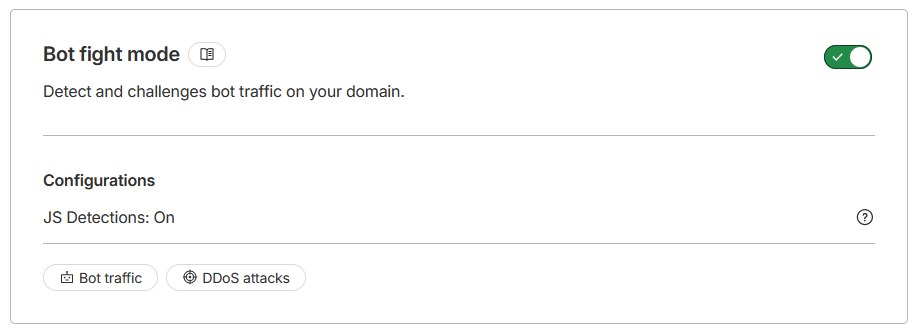
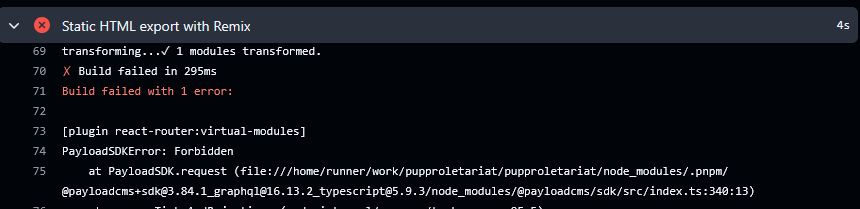
When this is enabled, my GitHub action building my React-Router v7 web app is no longer able to access the PayloadCMS' API during build time!
Naive Solution
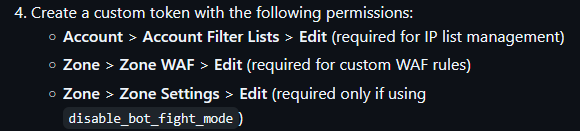
Whilst exploring options to work around this, I found an action on the GitHub Marketplace meant to solve this issue (credit to xiaotianxt for making this). According to the Readme, the action works by adding the IP address of the GitHub-hosted runner to a Cloudflare IP list on your account so that your zone can be configured to bypass WAF rules for the said runner. However, since Bot Fight Mode executes before security rules are applied on Cloudflare, the action also has an option to disable Bot Fight Mode on Cloudflare before running static site generation, and then re-enable it at the end of the workflow.

This solution is obviously incredibly stateful and has a few flaws for my use-case:
- I could be rate-limited on the Bot Fight Mode toggle API depending on how often I'm pushing up commits and triggering the workflow for building the web app as my workflow has concurrency group settings that allows cancellation of previous workflows to run said workflows on newer commits.
- I need to generate and manage a Cloudflare API key that has certain Account-wide permissions.
- The action requires a small delay after turning Bot Fight Mode off in order for changes to apply.
- The action manages a Custom IP List in Cloudflare, in which free accounts are limited to only having one per account.
My Solution
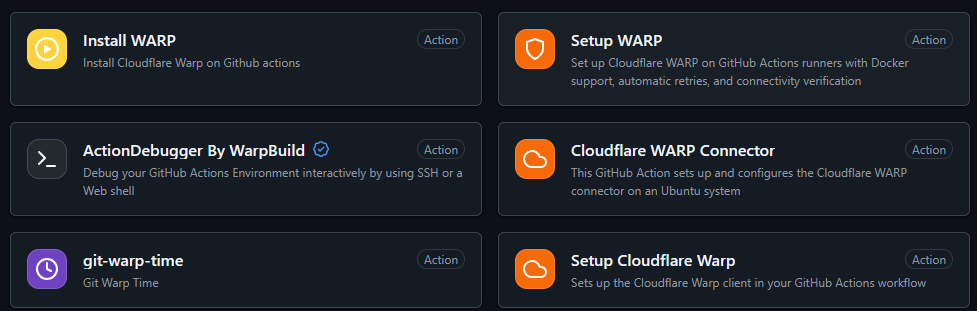
Whilst looking around for options, I thought that if I could tunnel into a VPC that my Workers existed on, I could access my Worker hosting my PayloadCMS instance without routing through the public domain that would apply all of the WAF and Bot Fight Mode rules. There were existing actions for setting up Cloudflare WARP to connect to Cloudflare resources via tunnelling.
However whilst looking into it more, it seemed that Cloudflare Worker VPCs were only designed for workers to send outbound traffic to the VPC rather than receive inbound traffic.
So I thought to myself, what if I just set up the consumer version of Cloudflare warp on the GitHub-hosted runner? Would Cloudflare's WAF and Security rules be more lenient on traffic that was routed through Warp? I found that the existing actions for setting up warp all expected to connect to a Cloudflare Zero-Trust organization network, so instead I went about setting it up myself by adding these workflow steps before my build step:
    - name: Install Warp
        run: |
          curl -fsSL https://pkg.cloudflareclient.com/pubkey.gpg | sudo gpg --yes --dearmor --output /usr/share/keyrings/cloudflare-warp-archive-keyring.gpg
          echo "deb [signed-by=/usr/share/keyrings/cloudflare-warp-archive-keyring.gpg] https://pkg.cloudflareclient.com/ $(lsb_release -cs) main" | sudo tee /etc/apt/sources.list.d/cloudflare-client.list
          sudo apt-get update && sudo apt-get install -y cloudflare-warp
    - name: Bypass Cloudflare for Remix Build
        run: warp-cli --accept-tos registration new && warp-cli --accept-tos connect
    - name: Static HTML export with Remix
        run: pnpm run build
The commands listed to install Warp are taken directly from the official Cloudflare Warp package repository. This allowed the workflow to pass without any issues accessing my Worker-hosted PayloadCMS instance! However, the step to install Warp would show it consuming 24 seconds of my total workflow running time. This largely was in part to receiving repository updates via apt on is very very slow on GitHub-hosted runners.
To solve this and clean up my workflow a little, I instead opted to download the .deb file directly from Cloudflare and install it. Furthermore, I also collapsed the Warp connection commands directly into the build step and added a command after to disconnect from Warp when done.
    - name: Install Warp
        run: |
          curl --output warp.deb https://pkg.cloudflareclient.com/pool/noble/main/c/cloudflare-warp/cloudflare-warp_2026.3.846.0_amd64.deb
          sudo apt install -y ./warp.deb
    - name: Static HTML export with Remix
        run: |
          warp-cli --accept-tos registration new
          warp-cli --accept-tos connect
          pnpm run build
          warp-cli --accept-tos disconnect