Whilst working on a project for university (odysseat.fly.dev), I had decided to use Fly.io for my hosting as one of the requirements of our subject was to utilise a CI/CD pipeline for deployment. For setting this up, I vaguely followed the official blog article for doing so. However, there are a few hiccups along the way with how Fly configures Next.js by default, especially in regards to App router, SSR, and standalone output mode. So I'll detail my steps for setting up and deploying a Next.js app on Fly.io as so:
Setting Up Your Next.js App
First to setup a Next.js app, you can use create-next-app or any equivalent:
# using create-next-app
npx create-next-app@latest nextjsapp

# using create-t3-app
npm create t3-app@latest

# using shadcn
npx shadcn@latest init --preset b0 --base base --template next
Setting Up Fly.io
Then cd into that new repository and run:
fly launch --no-deployYou will see that a fly.toml, Dockerfile and docker-entrypoint.js has been generated for you. However if you were to deploy right now, you'll run into a few issues regarding public environment variables not being bound correctly among other things.
Making Your Build Output standalone
To reduce the size of the final image deployed to Fly.io, the aforementioned blog article recommends to enable standalone output in next.config.js. However, doing so will require some changes in your Dockerfile and docker-entrypoint.js that the blog unfortunately doesn't cover extensively.
// next.config.js

/**
 * Run `build` or `dev` with `SKIP_ENV_VALIDATION` to skip env validation. This is especially useful
 * for Docker builds.
 */
import "./src/env.js";

/** @type {import("next").NextConfig} */
const config = {
  output: "standalone",
};

export default config;
Modifying the Dockerfile
In the Dockerfile, you will want to add caching capabilities to the build portion. You may do this by adding --mount=type=cache,target=/app/.next/cache before the next build command being ran in the script. Most importantly, there are issues with the node_modules/bin files not being copied into the Docker image output. Therefore, you'll want to replace COPY --from=build /app /app with the following:
COPY --from=build /app/.next/standalone /app
COPY --from=build /app/.next/static /app/.next/static
COPY --from=build /app/public /app/public
COPY --from=build /app/node_modules/.bin /app/node_modules/.bin
COPY --from=build /app/node_modules/next /app/node_modules/next
COPY --from=build /app/docker-entrypoint.js /app/docker-entrypoint.js
Your final Dockerfile should look like so:
# Dockerfile
# syntax = docker/dockerfile:1

# Adjust NODE_VERSION as desired
ARG NODE_VERSION=25.7.0
FROM node:${NODE_VERSION}-slim AS base

LABEL fly_launch_runtime="Next.js"

# Next.js app lives here
WORKDIR /app

# Set production environment
ENV NODE_ENV="production"


# Throw-away build stage to reduce size of final image
FROM base AS build

# Install packages needed to build node modules
RUN apt-get update -qq && \
    apt-get install --no-install-recommends -y build-essential node-gyp pkg-config python-is-python3

# Install node modules
COPY package-lock.json package.json ./
RUN npm ci --include=dev

# Copy application code
COPY . .

# Build application
ENV SKIP_ENV_VALIDATION=true
RUN --mount=type=cache,target=/app/.next/cache \
    npx --yes next build --experimental-build-mode compile

# Remove development dependencies
RUN npm prune --omit=dev


# Final stage for app image
FROM base

# Copy built application
COPY --from=build /app/.next/standalone /app
COPY --from=build /app/.next/static /app/.next/static
COPY --from=build /app/public /app/public
COPY --from=build /app/node_modules/.bin /app/node_modules/.bin
COPY --from=build /app/node_modules/next /app/node_modules/next
COPY --from=build /app/docker-entrypoint.js /app/docker-entrypoint.js

# Entrypoint sets up the container.
ENTRYPOINT [ "/app/docker-entrypoint.js" ]

# Start the server by default, this can be overwritten at runtime
EXPOSE 3000
CMD [ "node", "server.js" ]
Modifying the docker-entrypoint.js File
The Fly.io provided docker-entrypoint.js file will try to execute next build --experimental-build-mode generate-env using npx. If this is not done to a built standalone Next.js app, you will notice that NEXT_PUBLIC_-prefixed environment variables will be missing. This step will be broken if you do not complete the previous step, as npx will discover that the next package is installed but will error upon not being able to find the Next.js CLI entrypoint in the node_modules/.bin directory. Since we copied the file over into the built Docker image it should run fine. However, in order to avoid incurring some delay when executing npx, I've changed the docker-entrypoint.js file to instead directly execute the Next.js CLI entrypoint at node_modules/.bin/next.
// docker-entrypoint.js
#!/usr/bin/env node

import { spawn } from "node:child_process";

const env = { ...process.env };

// If running the web server then prerender pages
if (process.argv.slice(-2).join(" ") === "node server.js") {
  await exec(
    "node_modules/.bin/next build --experimental-build-mode generate-env",
  );
}

// launch application
await exec(process.argv.slice(2).join(" "));

/**
 * @param {string} command
 */
function exec(command) {
  const child = spawn(command, { shell: true, stdio: "inherit", env });
  return /** @type {Promise<void>} */ (
    new Promise((resolve, reject) => {
      child.on("exit", (code) => {
        if (code === 0) {
          resolve();
        } else {
          reject(new Error(`${command} failed rc=${code}`));
        }
      });
    })
  );
}
All Done!
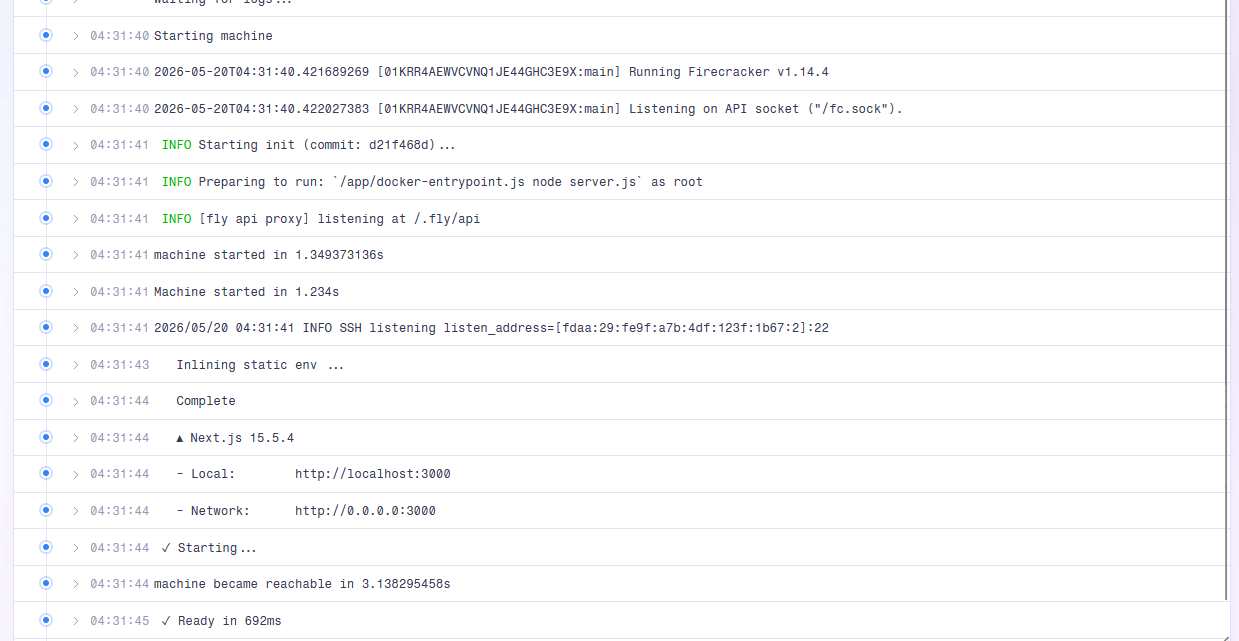
After you run fly deploy, your Fly.io machine logs should look something like this!